 Emeka Okonkwo
Redesigning Duplicate Vendor Review
Redesigning duplicate vendor review to cut hours of manual checking and support a more intelligent, evidence-led workflow.
The Challenge
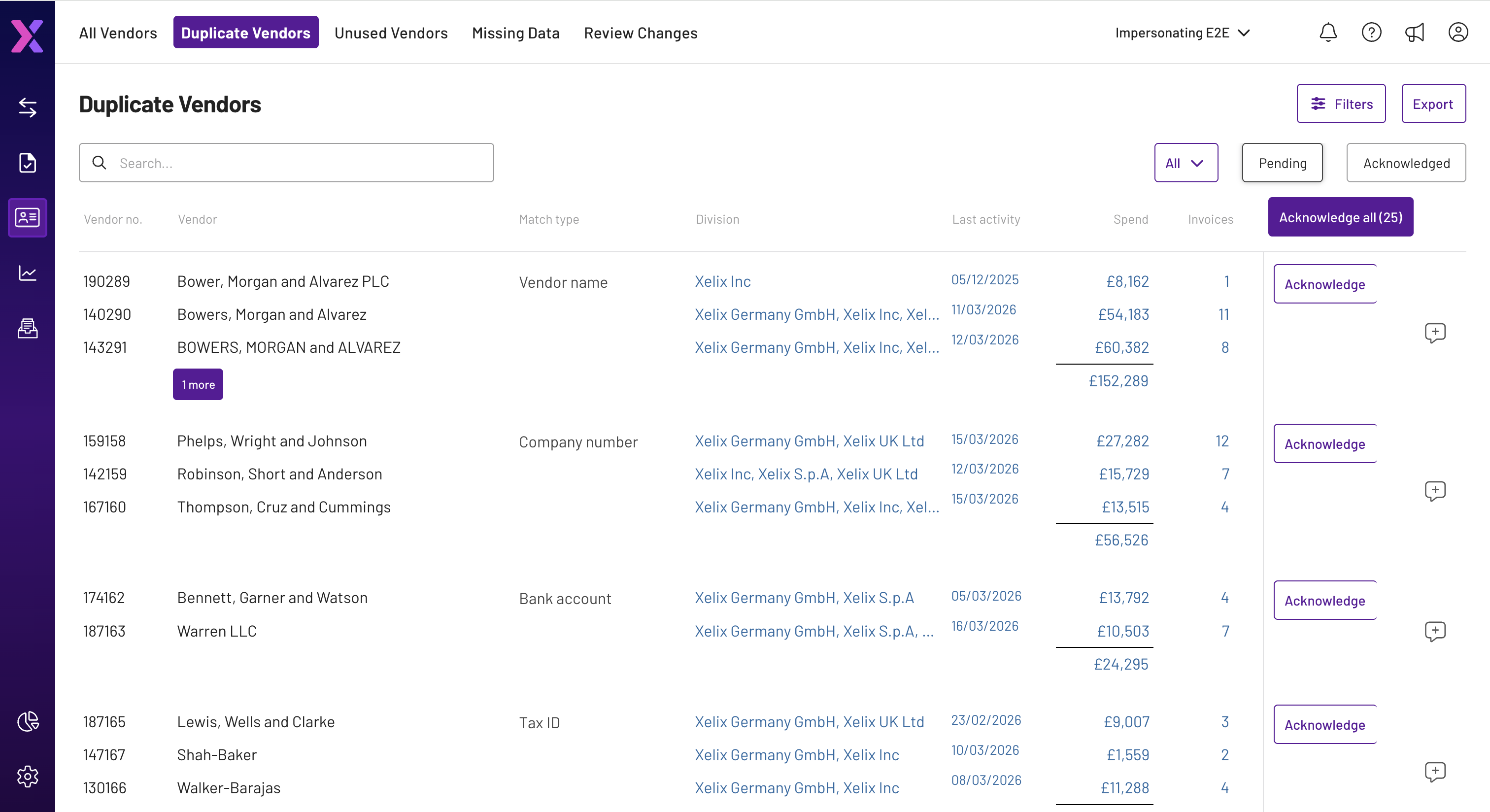
Xelix could already identify potential duplicate vendors, but the review process still relied heavily on manual work. Research with finance teams at Currys, DS Smith, Liberty Global and others showed AP users spending 3–4 hours a day switching between Xelix and their ERP to validate matches, with very little context available in the product and only an Acknowledge action when they returned. A new ML model from our AI engineering team could reduce false positives, surface more complex relationships and learn from user decisions, which meant the review experience also needed to handle richer evidence without overwhelming users who were already comfortable with the existing AG Grid workflow.
The Solution
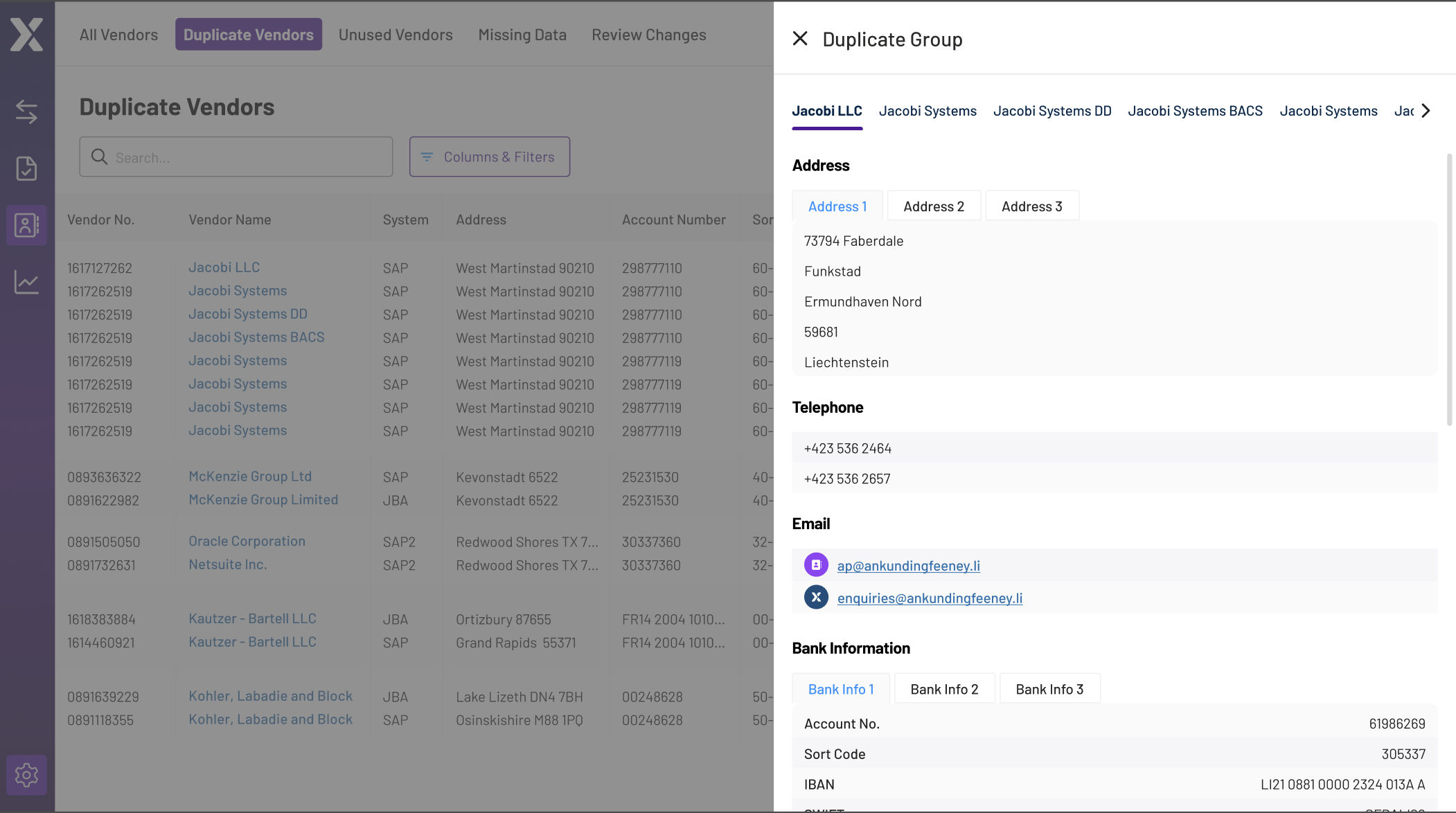
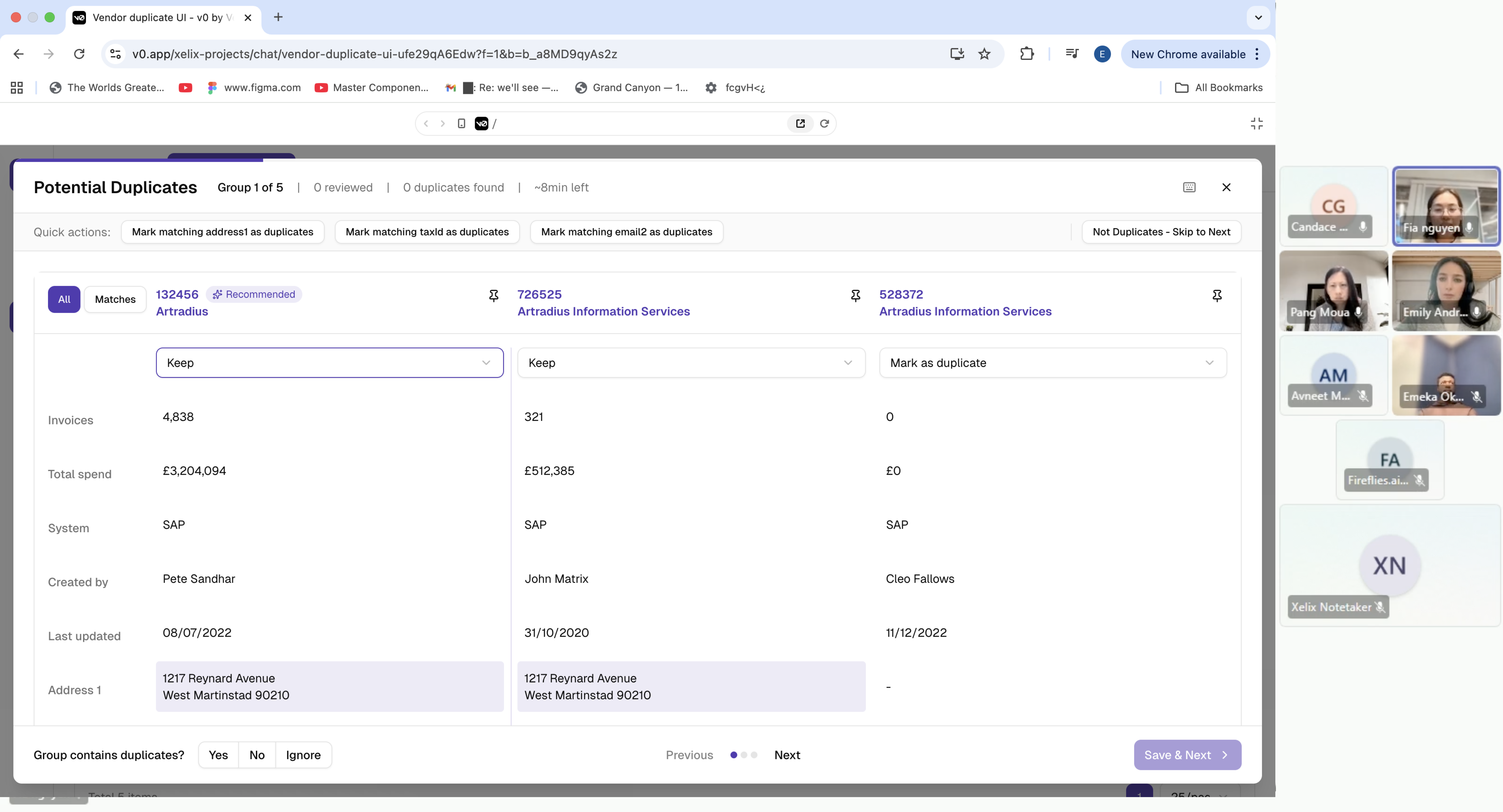
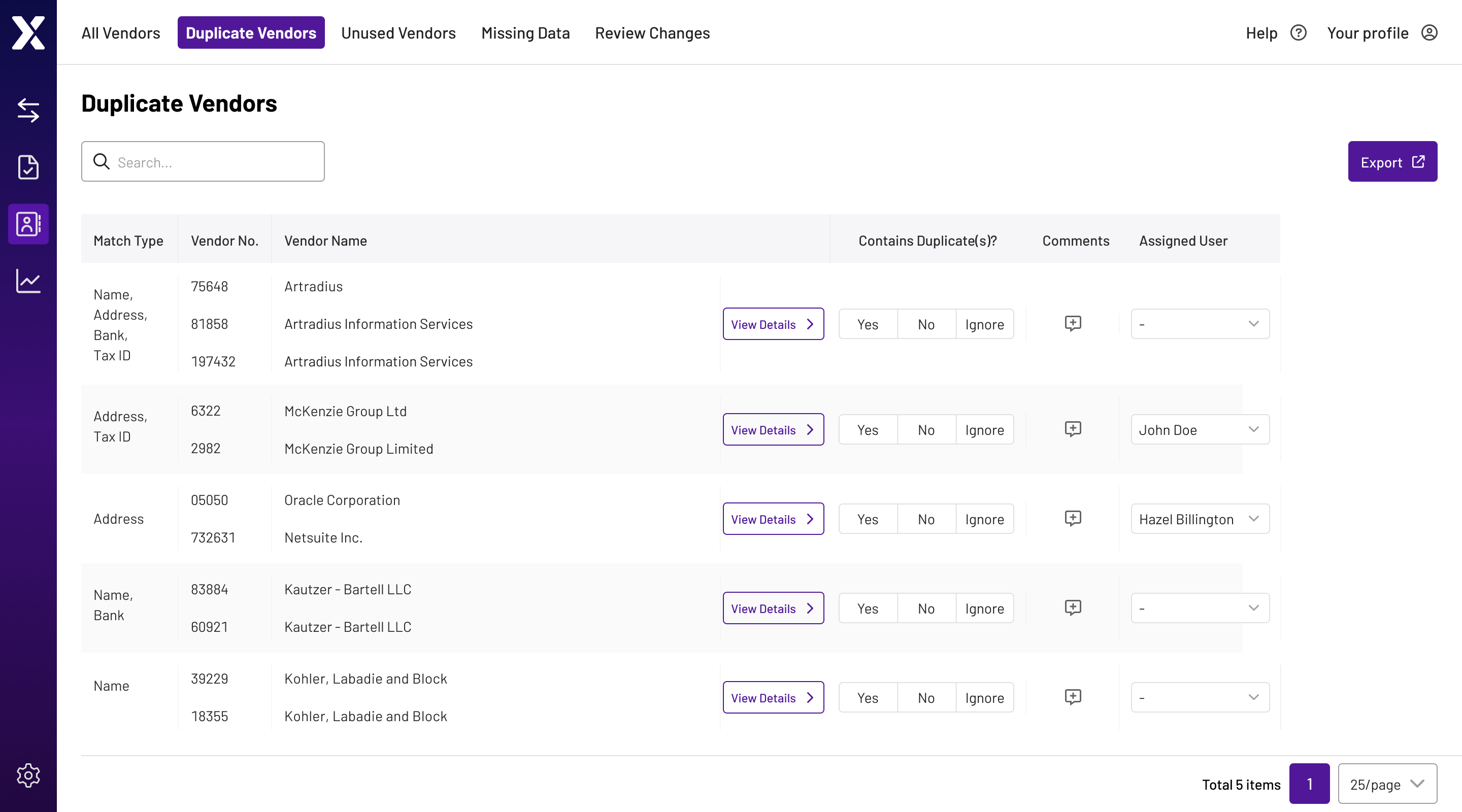
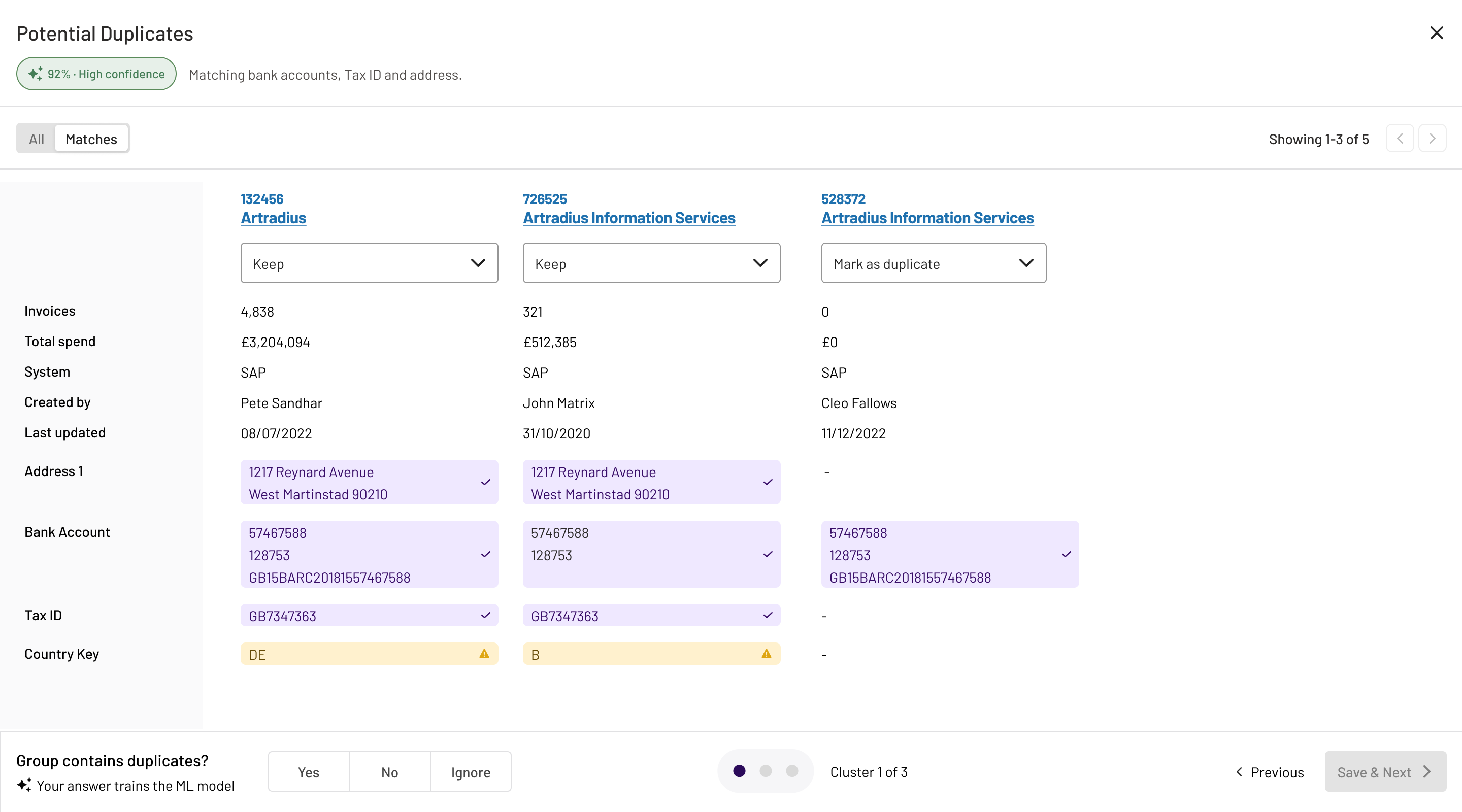
I redesigned Duplicate Vendors around a hybrid review flow that kept the familiar AG Grid table for managing work, then opened a dedicated comparison workspace when users needed to investigate a match. I explored and tested drawer, recommendation-led and comparison-based approaches with clients, then worked with Product, Engineering and AI to balance familiarity, model feedback, engineering scope and the longer-term move towards resolving more ERP work inside Xelix. The final workspace let users compare vendors side by side, surface matching evidence, pin a reference record and feed Yes / No / Ignore decisions back into the ML model. We held back confidence scores and direct ERP editing for a later release, then used FullStory and customer feedback to understand adoption and refine the experience.
My Approach
- 1
Researched AP teams at Currys, DS Smith, Liberty Global and others to understand why duplicate review was taking 3–4 hours a day and where the existing workflow was breaking down.
- 2
Used v0 to rapidly prototype a drawer, recommendation-led flow and dedicated comparison workspace, then tested the options directly with clients.
- 3
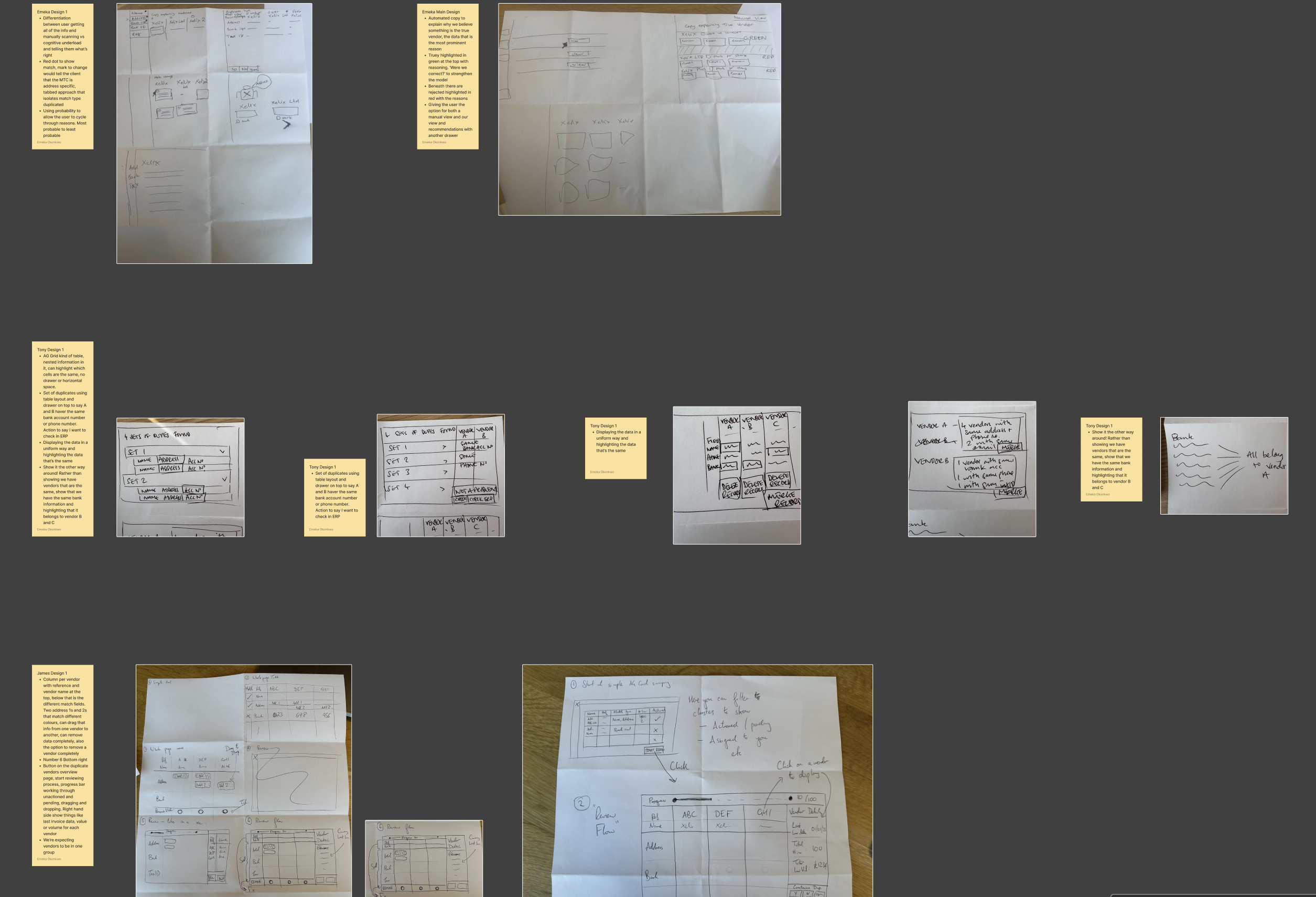
Facilitated a design studio with Product, Engineering and AI, using the findings to land on a hybrid approach: AG Grid for managing the queue, and a dedicated workspace for investigation.
- 4
Phased the release by holding back confidence scores and direct ERP editing until Engineering had the time to build them properly and we had evidence that customers were adopting the new workflow.
- 5
Used FullStory and customer feedback after launch to measure behaviour, spot friction and refine the experience, including making Matches the default view.
Inside the Redesign
A closer look at how the duplicate vendor review experience evolved — from the legacy acknowledge-only workflow to a dedicated comparison workspace that surfaces matching evidence and feeds every decision back into the ML model.